

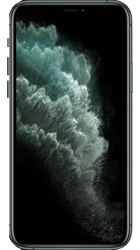
Apple iPhone 11 Pro
Popular Topics
Follow these steps to get started with your device
Get startedRestore from Mac or PC
| 1. | From the welcome screen, swipe up from the bottom of the screen. |
| 2. | Tap your desired language. |
| 3. | Tap your country/region. |
| 4. | From this screen, you can set up your device using Quick Start. To do this, bring another device running iOS 11 or later nearby to sign in automatically. To skip this and set up your device manually, tap Set Up Manually. |
| 5. | From this screen, you're able to connect your device to nearby Wi-Fi networks. Tap the network you'd like to connect to. |
| 6. | Enter the network password, then tap Join. |
| 7. | Read the data and privacy statement from Apple, then tap Continue. |
| 8. | On this screen, you can choose to set up Face ID on your device. Face ID uses your face as a security measure in place of a passcode or Apple ID password when making purchases or unlocking your device. Tap Continue and follow the on-screen instructions to register your face, otherwise tap Set Up Later in Settings. |
| 9. | Here you can choose to set up a passcode. A passcode will be used when unlocking your phone or making purchases, and is also required as a backup for Face ID. You can choose between creating a six-digit, four-digit, custom numeric or custom alphanumeric code. Enter then re-enter your desired code, then jump to step 12. To skip this step, tap Passcode Options. |
| 10. | Tap Don't Use Passcode. |
| 11. | Tap Don't Use Passcode again. |
| 12. | Tap Restore from Mac or PC. |
| 13. | Connect your device to the computer that you used to back up your previous devices/backups to. |
| 14. | Open iTunes or if you're using a Mac open Finder and select your device. You may be asked to trust your computer on your device. Tap Trust. |
| 15. | On your computer, tap Restore Backup, then choose your desired backup. If you need to restore from an encrypted backup, enter your password when asked. |
| 16. | Wait for the restore process to finish, then complete the rest of the setup steps on your device. You can now disconnect your device from your computer. Keep your device connected to the Wi-Fi and plugged into power after setup, to allow content like photos, music, and apps stored in iCloud to automatically download onto your device. |
Top specifications
SIM type
Dual SIM
SIM 1: Physical nano-SIM card or eSIM
SIM 2: eSIM (eSIM is not yet available on all networks)
SIM 1: Physical nano-SIM card or eSIM
SIM 2: eSIM (eSIM is not yet available on all networks)
Internal device memory
64GB/256GB/512GB
Memory card max size
N/A
Charge rate
-
Device warranty
12 months
Battery
Removable battery
No
Charge rate
-
Talk time (mins)
-
Standby time (hrs)
-
Power saving
Low Power Mode
Wireless charging
Yes
Battery capacity
3046mAh
Body
Height (mm)
144
Width (mm)
71.4
Depth (mm)
8.1
Weight (g)
188
Water resistant
Yes
Dust resistant
Yes
SIM type
Dual SIM
SIM 1: Physical nano-SIM card or eSIM
SIM 2: eSIM (eSIM is not yet available on all networks)
SIM 1: Physical nano-SIM card or eSIM
SIM 2: eSIM (eSIM is not yet available on all networks)
Connectivity
Personal hotspot
Yes
Wi-Fi Direct
No
Near Field Communication (NFC)
Yes
HDMI output
No
Wi-Fi (WLAN)
Wi-Fi 6
USB
Yes
USB cable
Yes
USB type
Lightning
Bluetooth
Yes
Processor
CPU speed
A13 Bionic chip
Display
Resolution
2436x1125
Touch screen
Yes
Multi-touch
Yes
Size (inches)
5.8
Messaging
IM
Yes
Text messages
Yes
Multimedia messages
Yes
Email
Yes
Network
Band
Quad
VoLTE (4G calling in UK)
Yes
Wi-Fi and 4G Calling (VoLTE)
No
2G
Yes
3G
Yes
4G
Yes
5G
No
Works in the US
Yes
Platform
Operating system
Apple iOS
Generic software version
iOS 13
Sensors
Accelerometer
Yes
Digital compass
Yes
Ambient light sensor
Yes
Gyroscope
Yes
Proximity sensor
Yes
Barometer
Yes
Memory
RAM
-
Device memory
64GB/256GB/512GB
Card slot
No
Card max size
N/A
Camera
Slow motion
1080p @ 120fps or 240fps
Secondary camera resolution (MP)
12
HD video recording
Yes
Main camera resolution (MP)
Wide angle: 12
Ultra wide angle: 12
Telephoto: 12
Ultra wide angle: 12
Telephoto: 12
Video recording
Yes
Camera type
Triple rear-facing
Number of cameras
4
Front camera
Additional features
4K video recording
Next generation Smart HDR
Extended dynamic range
Cinematic video stabilisation
Wide colour capture
Retina flash
Auto image stabilisation
Slo-mo video
Portrait lighting
Next generation Smart HDR
Extended dynamic range
Cinematic video stabilisation
Wide colour capture
Retina flash
Auto image stabilisation
Slo-mo video
Portrait lighting
Aperture
f/2.2
Selfie modes
Portrait mode / Animoji / Memoji
Sensor
12MP
Rear camera
Resolution (max MP)
Wide angle camera: 12
Ultra Wide angle camera: 12
Ultra Wide angle camera: 12
Aperture
Wide angle: f/1.8
Ultra Wide: f/2.4
Telephoto: f/2.0
Ultra Wide: f/2.4
Telephoto: f/2.0
Bokeh filters
Yes
Dual OIS (Optical Image Stabilization)
Yes
Flash
Brighter True Tone
Field of vision (FOV)
Ultra Wide: 120 degrees
HD video recording
4K @ 24fps, 30fps or 60fps
Optical Image Stabilization (OIS)
Yes
Slow motion
1080p @ 120fps or 240fps
Type
Wide angle
Ultra Wide angle
Telephoto
Ultra Wide angle
Telephoto
Zoom
2x optical zoom in and out
10x digital zoom in
10x digital zoom in
Additional features
Six-element lens (Wide + Telephoto)
Five-element lens (Ultra Wide)
Panorama mode
Portrait mode
Portrait lighting
100% Focus Pixels
Next generation Smart HDR
Wide colour capture
Advanced red-eye correction
Auto image stabilisation
Photo geotagging
Night mode
Auto adjustments
Five-element lens (Ultra Wide)
Panorama mode
Portrait mode
Portrait lighting
100% Focus Pixels
Next generation Smart HDR
Wide colour capture
Advanced red-eye correction
Auto image stabilisation
Photo geotagging
Night mode
Auto adjustments
Features
Face recognition
Yes
eSIM compatibility
Yes
Document viewer
Yes
GPS
Yes
Video calling
FaceTime
Web browser
Yes
A-GPS
Yes
Loudspeaker
Yes
Video player
Yes
Voice recording
Yes
FM radio
No
Music player
Yes
Always On
No
Security
Facial recognition
Yes
Fingerprint sensor
No
Warranty
Device warranty
12 months
Flash
Flash type
Brighter True Tone
Interfaces/Ports
3.5mm headphone jack
No
How useful was this page?
Thanks for your feedback, we have recorded your rating of this guide. You can give any other feedback by using the form below.
Thank you for your feedback
Thank you for taking the time to give us feedback. All feedback helps us continue to provide the best online support for our customers and is very much appreciated.