

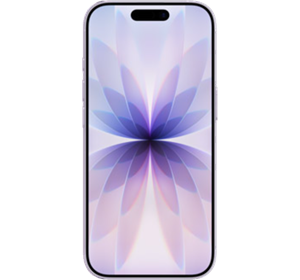
Apple iPhone 17
Popular Topics
Follow these steps to get started with your device
Get startedSet up email
Please choose your email provider:
| |||||||||||||||||||||||||||||||||||||||||||||||||
| 1. | From the home screen, tap Settings. | ||||||||||||||||||||||||||||||||||||||||||||||||
| 2. | Tap Apps. | ||||||||||||||||||||||||||||||||||||||||||||||||
| 3. | Tap Mail. | ||||||||||||||||||||||||||||||||||||||||||||||||
| 4. | Tap Mail Accounts. | ||||||||||||||||||||||||||||||||||||||||||||||||
| 5. | Tap Add Account. | ||||||||||||||||||||||||||||||||||||||||||||||||
| 6. | If your email provider is listed, you can select it to add the account to your device. Otherwise, tap Other. | ||||||||||||||||||||||||||||||||||||||||||||||||
| 7. | Tap Add Mail Account. | ||||||||||||||||||||||||||||||||||||||||||||||||
| 8. | Enter your account information, then tap Next. | ||||||||||||||||||||||||||||||||||||||||||||||||
| 9. | Apple maintains a database of the most common email service providers. These settings will be automatically configured during the setup. If the database does not automatically configure the settings, enter the correct server information and then tap Next. | ||||||||||||||||||||||||||||||||||||||||||||||||
| 10. | Depending on the email account you've set up, you can sync your iPhone with your existing contacts, calendars, and notes using the toggles displayed. Note: some email accounts aren't compatible with this feature. Tap Save to finish setting up your email account. |
Up to 27 hours (streamed)
Up to 50% charge in 30 minutes with a 30W adapter or higher paired with MagSafe Charger
6‑core CPU with two performance and four efficiency cores
16-core Neural Engine
HDR peak: 1600 nits
Outdoor peak: 3000 nits
Minimum: 1 nit
Ceramic Shield 2
Cinematic mode up to 4K Dolby Vision at 30fps
Slo-mo 1080p at 120fps
QuickTake video at 60fps in 4K Dolby Vision HDR
Cinematic video stabilisation in 4K, 1080p and 720p
Ultra-stabilised video
Photonic Engine
Deep Fusion
Smart HDR 5
Latest-generation Photographic Styles
Animoji and Memoji
Night mode
Fusion Ultra Wide: 48
Fusion Ultra Wide: f/2.2
Cinematic mode with shallow depth of field up to 4K Dolby Vision at 30fps
Dual Capture up to 4K Dolby Vision at 30fps
Action mode up to 2.8K Dolby Vision at 60fps
Spatial video recording at 1080p at 30fps
Macro video recording, including slo‑mo and time‑lapse
Slo‑mo up to 1080p at 240fps
QuickTake video at 60fps in 4K Dolby Vision HDR
Fusion Ultra Wide
Up to 10x digital zoom
Sensor-shift optical image stabilisation
Smart HDR 5
Night mode
Photonic Engine
Deep Fusion
Next-generation portraits with Focus and Depth Control
Latest-generation Photographic Styles
Macro photography
Spatial photos
Crash Detection
Roadside Assistance via satellite
VoiceOver
Zoom
Magnifier
RTT and Textphone support
Eye Tracking
Vocal Shortcuts
Type to Siri
Switch Control
Closed Captions
Personal Voice
Live Speech
AssistiveTouch
Spoken Content
How useful was this page?
Thanks for your feedback, we have recorded your rating of this guide. You can give any other feedback by using the form below.
Thank you for your feedback
Thank you for taking the time to give us feedback. All feedback helps us continue to provide the best online support for our customers and is very much appreciated.