

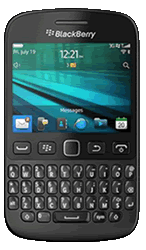
BlackBerry 9720
Popular Topics
Follow these steps to get started with your device
Get startedFind your email account settings
| 1. | From the home screen select the All Applications panel. | ||||||||||||||||||||||||||||||||||||||||||||||||
| 2. | Move the cursor to Setup and press the Select button. | ||||||||||||||||||||||||||||||||||||||||||||||||
| 3. | Move the cursor to Email Accounts and press the Select button. | ||||||||||||||||||||||||||||||||||||||||||||||||
| 4. | Move the cursor to the Account you wish to check and press the Select button. | ||||||||||||||||||||||||||||||||||||||||||||||||
| 5. | Move the cursor to Edit and press the Select button. | ||||||||||||||||||||||||||||||||||||||||||||||||
| 6. | Confirm the settings are correct then move the cursor to Save and press the Select button. | ||||||||||||||||||||||||||||||||||||||||||||||||
Please choose your email provider:
|
How useful was this page?
Thanks for your feedback, we have recorded your rating of this guide. You can give any other feedback by using the form below.
Thank you for your feedback
Thank you for taking the time to give us feedback. All feedback helps us continue to provide the best online support for our customers and is very much appreciated.