

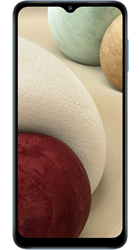
Samsung Galaxy A12 (SM-A125)
Popular Topics
Follow these steps to get started with your device
Get startedFind your email account settings
| 1. | From the home screen swipe either up or down to access apps. | ||||||||||||||||||||||||||||||||||||||||||||||||
| 2. | Tap Google folder. | ||||||||||||||||||||||||||||||||||||||||||||||||
| 3. | Tap Gmail. | ||||||||||||||||||||||||||||||||||||||||||||||||
| 4. | Tap the side menu icon. | ||||||||||||||||||||||||||||||||||||||||||||||||
| 5. | Tap Settings. | ||||||||||||||||||||||||||||||||||||||||||||||||
| 6. | Tap your email account. | ||||||||||||||||||||||||||||||||||||||||||||||||
| 7. | Tap either Incoming settings or Outgoing settings. | ||||||||||||||||||||||||||||||||||||||||||||||||
Please choose your email provider:
|
Octa-core (up to 2.3GHz)
Ultra Wide camera: 5
Depth camera: 2
Macro camera: 2
Ultra Wide camera
Depth camera
Macro camera
Ultra Wide camera: f/2.2
Depth camera: f/2.4
Macro camera: f/2.4
How useful was this page?
Thanks for your feedback, we have recorded your rating of this guide. You can give any other feedback by using the form below.
Thank you for your feedback
Thank you for taking the time to give us feedback. All feedback helps us continue to provide the best online support for our customers and is very much appreciated.