

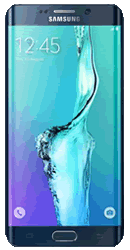
Samsung Galaxy S6 Edge Plus
Popular Topics
Follow these steps to get started with your device
Get startedFind your email account settings
| 1. | From the Home Screen tap Apps. | ||||||||||||||||||||||||||||||||||||||||||||||||
| 2. | Tap Email. | ||||||||||||||||||||||||||||||||||||||||||||||||
| 3. | Tap MORE. | ||||||||||||||||||||||||||||||||||||||||||||||||
| 4. | Tap Settings. | ||||||||||||||||||||||||||||||||||||||||||||||||
| 5. | Tap your Email account. | ||||||||||||||||||||||||||||||||||||||||||||||||
| 6. | Choose either Incoming or Outgoing settings then amend the settings required. | ||||||||||||||||||||||||||||||||||||||||||||||||
Please choose your email provider:
|
How useful was this page?
Thanks for your feedback, we have recorded your rating of this guide. You can give any other feedback by using the form below.
Thank you for your feedback
Thank you for taking the time to give us feedback. All feedback helps us continue to provide the best online support for our customers and is very much appreciated.